

Conda
Run commands within a Conda environment as a SLURM batch job.
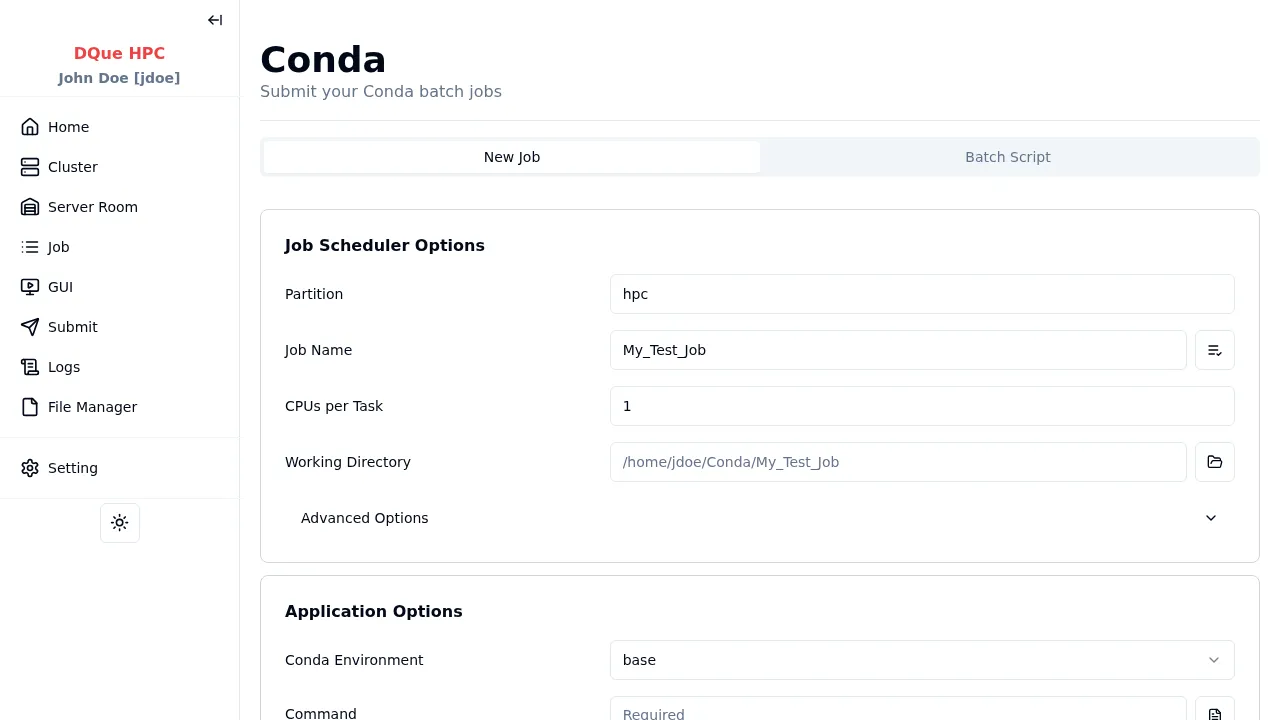
Step 1: Job Scheduler Options
Section titled “Step 1: Job Scheduler Options”- Partition — select the partition.
- Job Name — assign a name.
- CPUs per Task — specify CPU cores.
- Working Directory — where the command runs.
Step 2: Application Options
Section titled “Step 2: Application Options”- Conda Environment — select from available conda environments on the cluster (loaded automatically from
conda env list). The first environment is selected by default. Selecting an environment auto-generates the activation script (conda activate <env>). - Command — command to run after activating the environment (required). Supports template loading.
Step 3: Environment Variables (optional)
Section titled “Step 3: Environment Variables (optional)”Add key-value pairs to export as additional environment variables.
Step 4: Submit
Section titled “Step 4: Submit”Click Submit. The generated script activates the selected conda environment and runs your command. Monitor the job on the Job Monitor page.