

Server Room
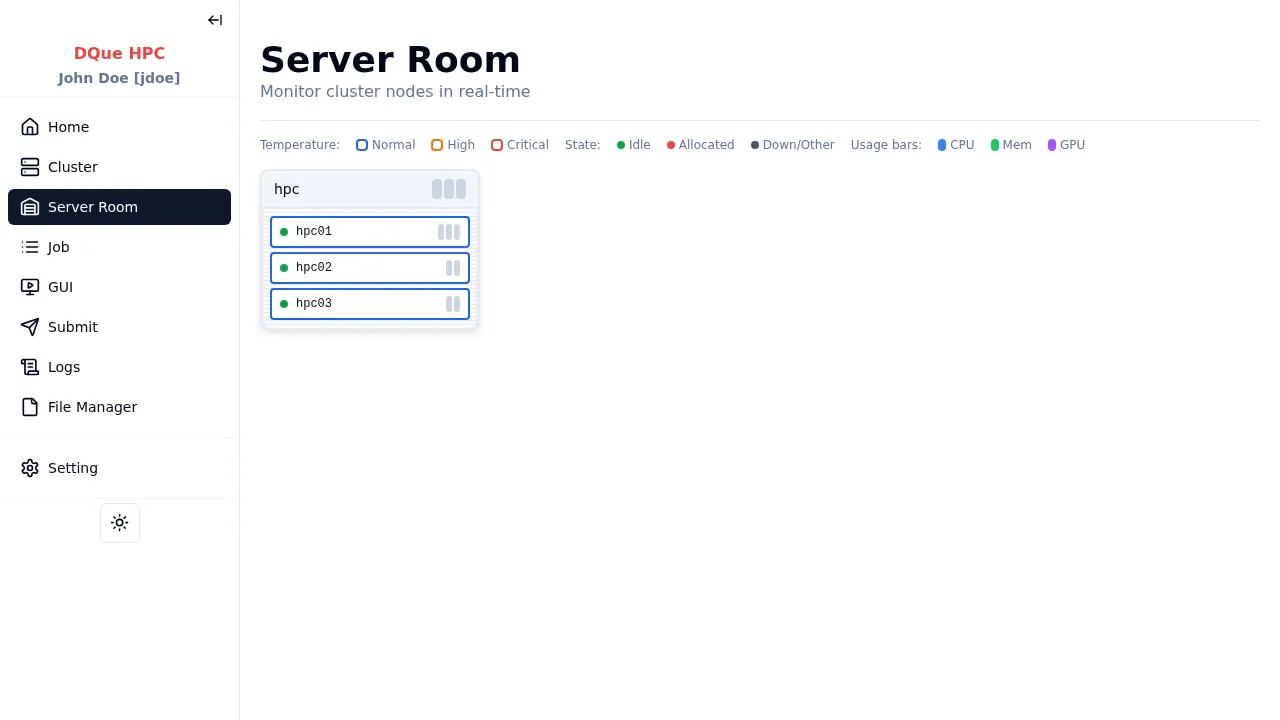
The Server Room page provides a physical rack visualization of the cluster nodes.
Keyboard shortcut: gr
Features
Section titled “Features”- Rack layout — nodes arranged in visual rack containers matching the physical server room.
- Color coding — nodes are colored by state (idle, allocated, down) and temperature.
- Usage bars — each node tile shows CPU, memory, and GPU utilization bars.
- Node detail — click any node tile to open a detail dialog showing:
- Node state, CPU/memory/GPU usage
- Temperature and power consumption
- List of running jobs on that node
Data refreshes every 10 seconds.