

Job Monitor
The Job Monitor shows all your jobs grouped by status.
Keyboard shortcut: gj
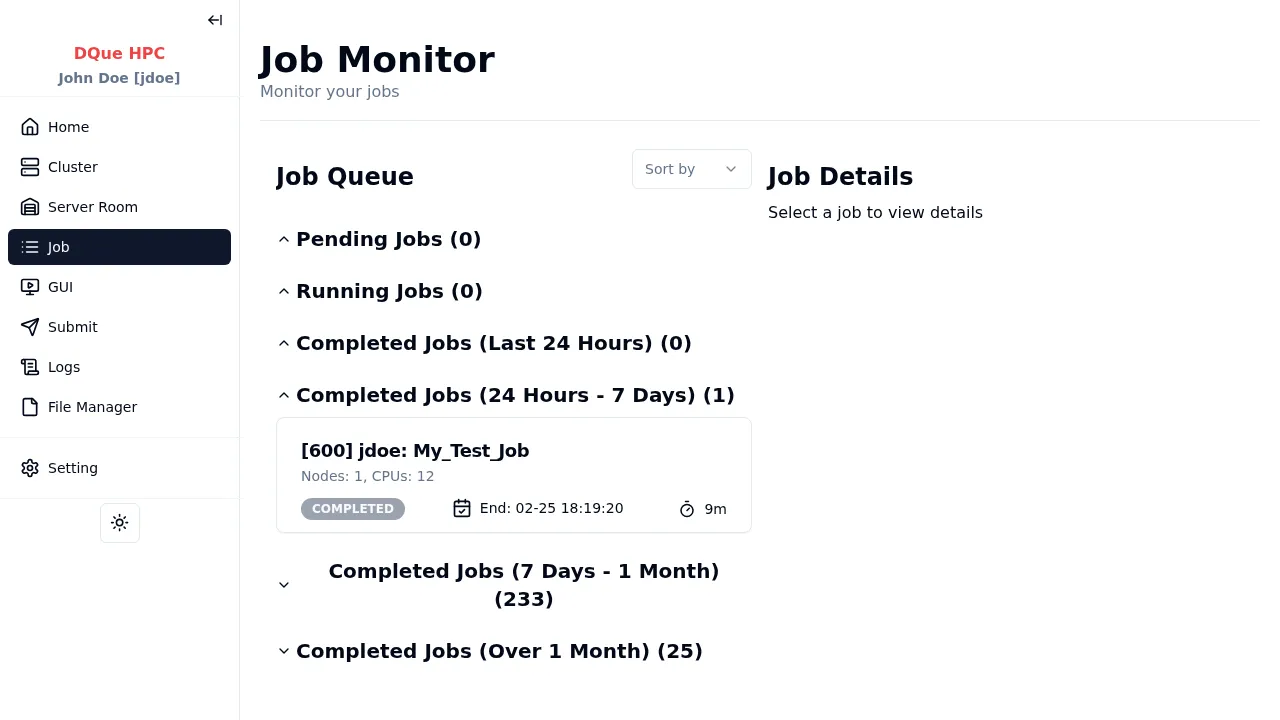
Layout
Section titled “Layout”The page uses a two-column layout on desktop:
- Left column — job list grouped into collapsible sections.
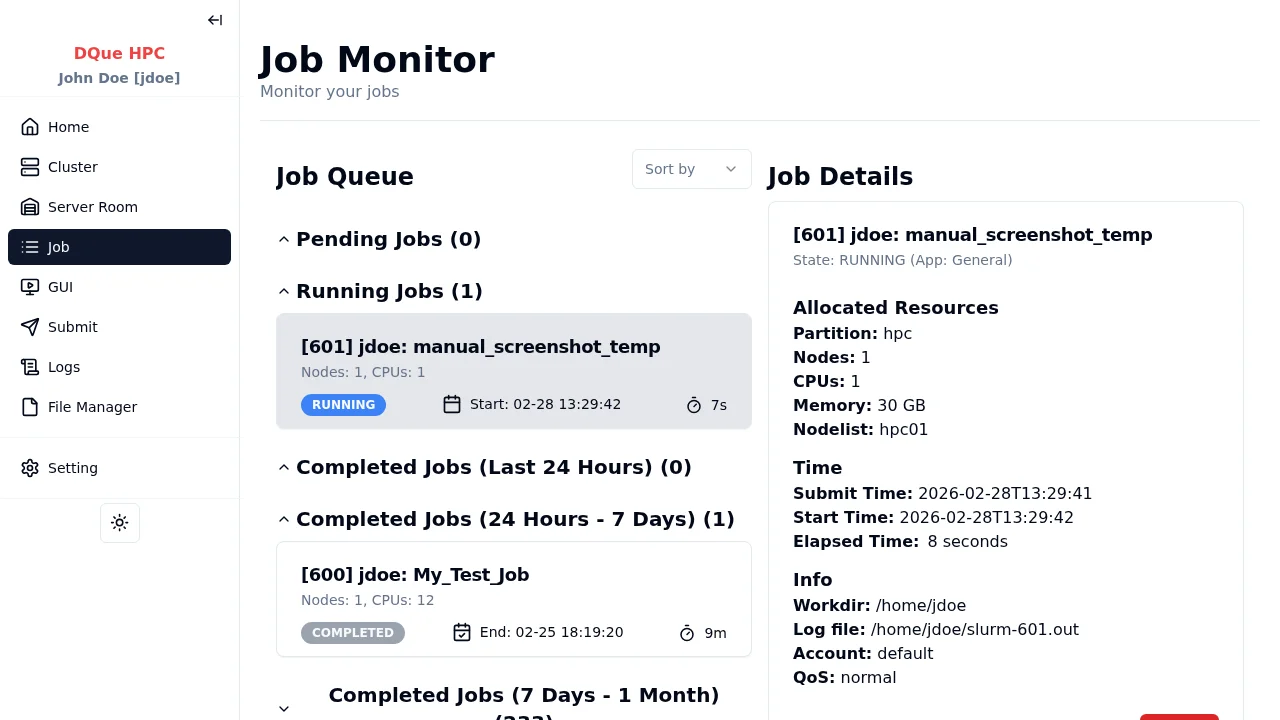
- Right column — job detail panel (sticky, shown when a job is selected).
Job Sections
Section titled “Job Sections”| Section | Default State |
|---|---|
| Pending Jobs | Expanded |
| Running Jobs | Expanded |
| Completed Jobs (Last 24 Hours) | Expanded |
| Completed Jobs (24 Hours – 7 Days) | Expanded |
| Completed Jobs (7 Days – 1 Month) | Collapsed |
| Completed Jobs (Over 1 Month) | Collapsed |
Job Detail Panel
Section titled “Job Detail Panel”Click any job row to display its details in the right panel.
Actions
Section titled “Actions”- Sort — use the dropdown to sort by Job ID or by Time.
- Select a job — click a job row to view its details. Click again to deselect.
- Cancel a job — in the detail panel, click Cancel to cancel a pending or running job.
- Deep linking — append
?jobid=12345to the URL to open a specific job directly.
Data refreshes every 10 seconds.